LightWeight
When I load trained yolov5 model to pruning, there encounter a problem:
"RuntimeError: Error(s) in loading state_dict for DetectionModel: size mismatch for model.24.m.0.weight: copying a param with shape torch.Size([18, 128, 1, 1]) from checkpoint, the shape in current model is torch.Size([255, 128, 1, 1]). size mismatch for model.24.m.0.bias: copying a param with shape torch.Size([18]) from checkpoint, the shape in current model is torch.Size([255]). size mismatch for model.24.m.1.weight: copying a param with shape torch.Size([18, 256, 1, 1]) from checkpoint, the shape in current model is torch.Size([255, 256, 1, 1]). size mismatch for model.24.m.1.bias: copying a param with shape torch.Size([18]) from checkpoint, the shape in current model is torch.Size([255]). size mismatch for model.24.m.2.weight: copying a param with shape torch.Size([18, 512, 1, 1]) from checkpoint, the shape in current model is torch.Size([255, 512, 1, 1]). size mismatch for model.24.m.2.bias: copying a param with shape torch.Size([18]) from checkpoint, the shape in current model is torch.Size([255])." That is because the number of class(nc) in yolov5s.yaml is not correct. The default nc when we download yolov5 from Ultralytics is 80, but when we trained our yolov5 model, the nc we set is 1(we only detect human there). So we need to change nc in yolov5s.yaml. After we change it to 1, we can get correct answer:
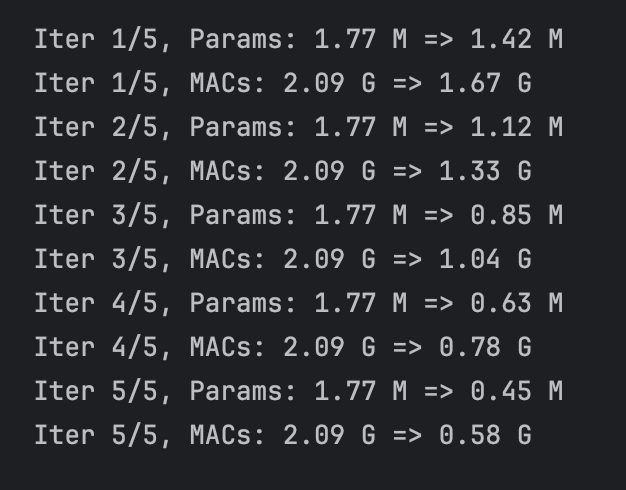
When I prune the yolov5 model:
"Traceback (most recent call last): File "/Users/jason/IdeaProjects/PeopleFlowDetection/yolov5-master/pruning.py", line 61, inpruned_model = prune_model(model, prune_ratio) File "/Users/jason/IdeaProjects/PeopleFlowDetection/yolov5-master/pruning.py", line 52, in prune_model next_conv.weight.data = next_conv.weight.data[:, mask] # 更新下一层的输入通道 IndexError: The shape of the mask [32] at index 0 does not match the shape of the indexed tensor [52, 26, 3, 3] at index 1" I find it is hard to prune the model without using of outer library, so I use torch_pruning to pruning my model.Structured pruning:
We find that Unstructured Pruning will change the structure of network, so we need to do use structure pruning, there are some problem we encounter when we doing experiment:
The first one is that the given structured pruning function in torch.nn.utils.prune prune the network randomly, but we only want to prune the weights that are small in the network.
The second problem is that if we use structured pruning, the pruned weights are set to 0, not deleted. Thus the parameter number and GLOPS are not decreased, meaning that the efficiency of network is not improved at all. The reason for this I think is that the pytorch baseline logic of multiplication does not take 0 calculation into consideration. In others words, when pytorch meets 0 calculation, it still take it as a common float number, thus miss many 0 calculation tricks. For example, when our human being doing addition or multiplication, we know that if there is 0 in the adder, the result are the other adder, and if there are 0 in the multiplicator, the result are 0. But Pytorch does not take this into consideration, making it has no improvement on the speed of calculation after we set 0 to some weights.Unsturctured pruning:
"class SimpleCNN(nn.Module): def __init__(self): super(SimpleCNN, self).__init__() self.conv1 = nn.Conv2d(3, 16, kernel_size=3, stride=1, padding=1) # 输入通道 3,输出通道 16 self.conv2 = nn.Conv2d(16, 32, kernel_size=3, stride=1, padding=1) # 输入通道 16,输出通道 32 self.fc1 = nn.Linear(32 * 8 * 8, 128) # 假设输入图像大小为 32x32 self.fc2 = nn.Linear(128, 10) # 10 个类别
We use torch_pruning library to prune out network. We first test it on a simple network:def forward(self, x):
x = torch.relu(self.conv1(x))
x = torch.max_pool2d(x, kernel_size=2, stride=2) # 16x16
x = torch.relu(self.conv2(x))
x = torch.max_pool2d(x, kernel_size=2, stride=2) # 8x8
x = x.view(x.size(0), -1) # 展平
x = torch.relu(self.fc1(x))
x = self.fc2(x)
return x”
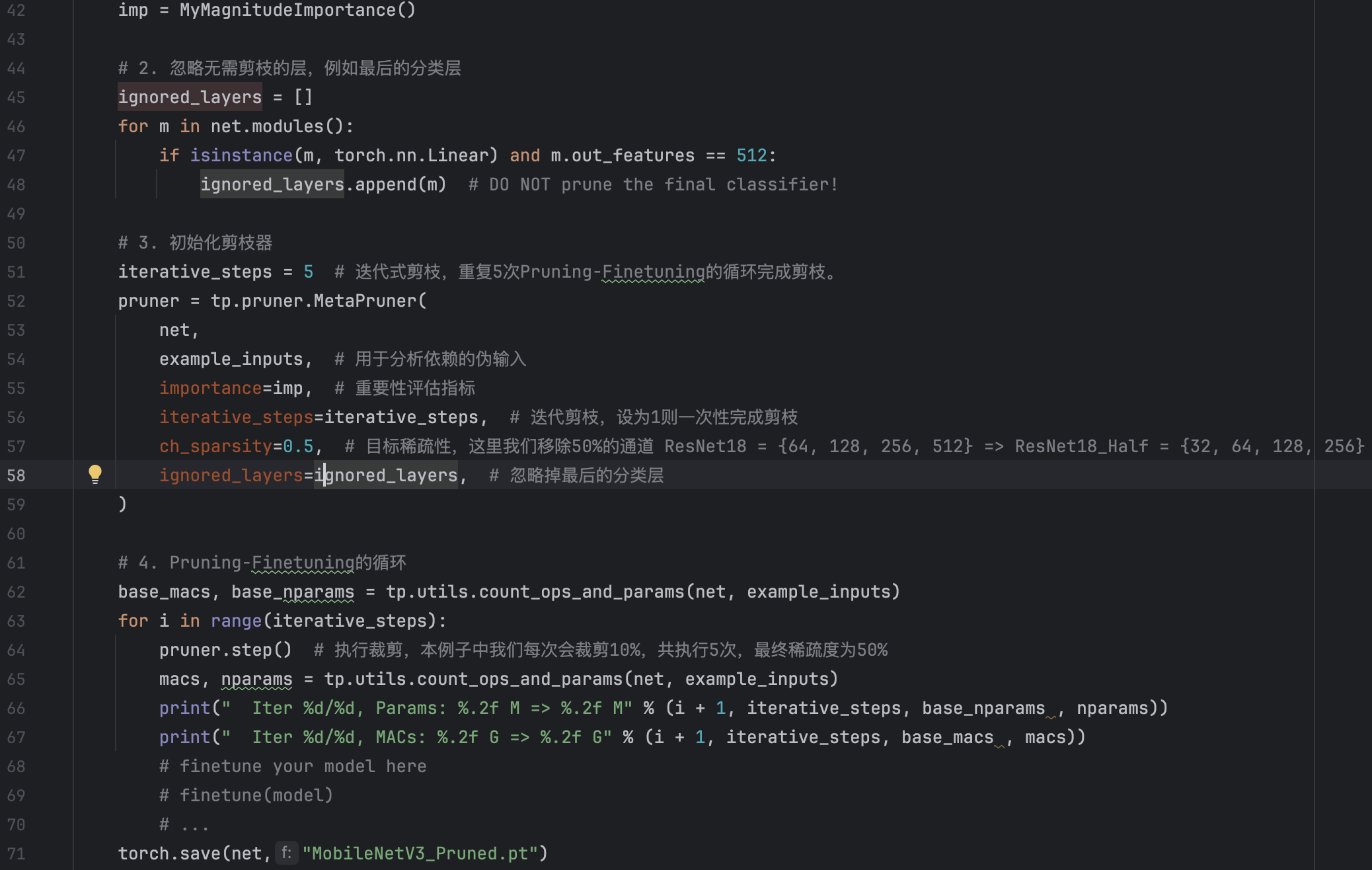 But when we prune the yolov5 model and use the pruned weight to detect the images, we encounter a problem:
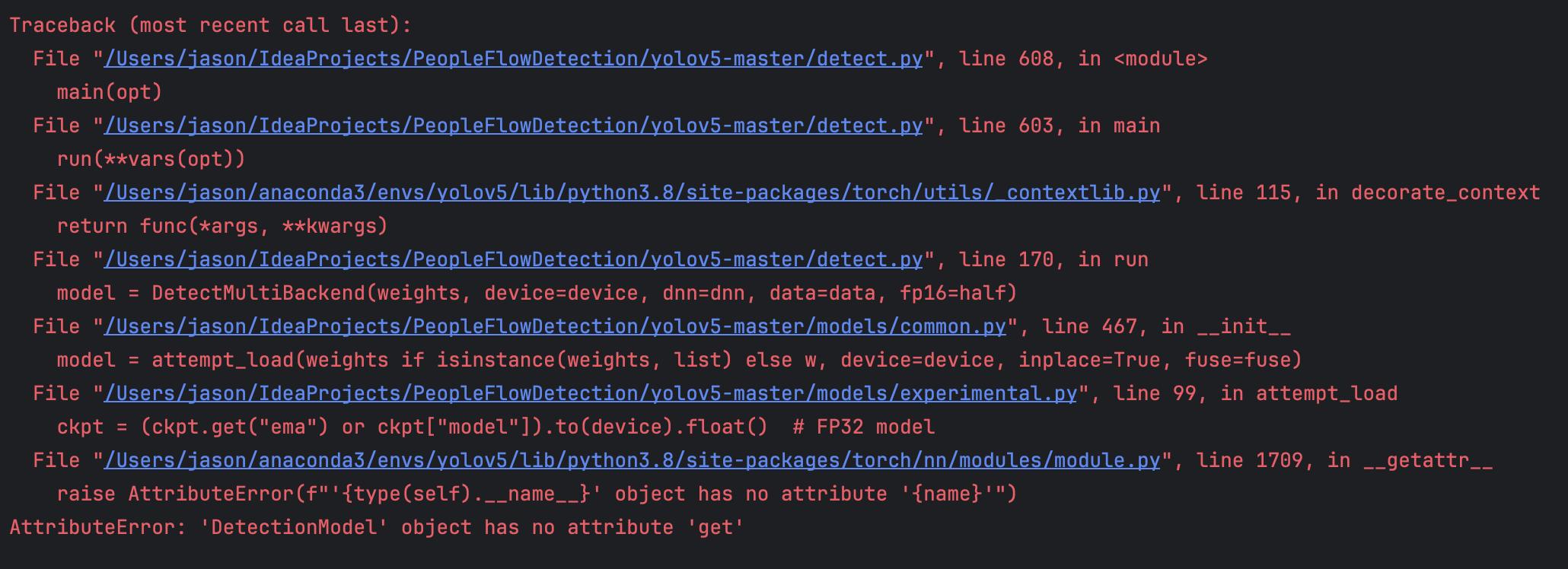 The solution of the problem is really complex, I have not solve it yet(3.7), But there I have made some progress in it.
The reason for the problem is that the model varibles we saved in the pruned.py is not as same as the train.py in YOLOv5. To be more specific, the model we saved is:
The solution of the problem is really complex, I have not solve it yet(3.7), But there I have made some progress in it.
The reason for the problem is that the model varibles we saved in the pruned.py is not as same as the train.py in YOLOv5. To be more specific, the model we saved is: 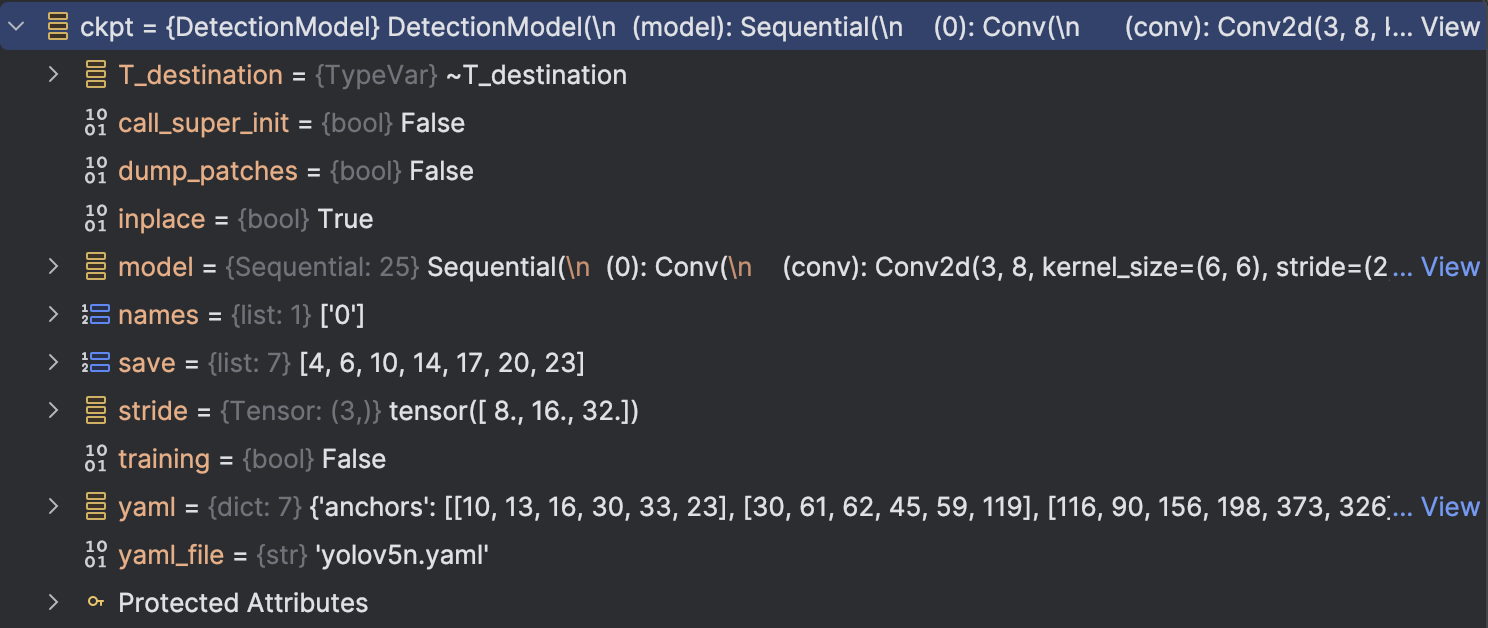 but the train.py saved is:
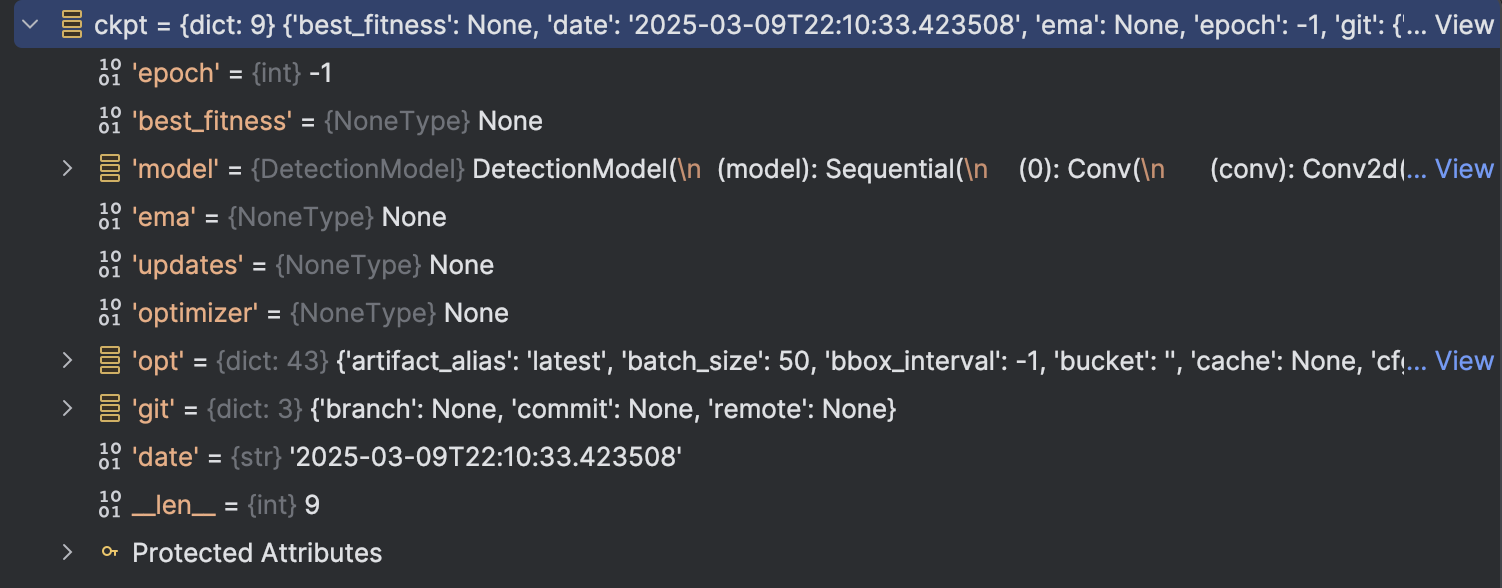 We can see the difference there: The train.py saved model are a dict class with 9 attribute, but the model we saved are a DetectionModel class, which is just a attribute compared to the previous saved model.
So the reason for the problem is clear:
We can see the difference there: The train.py saved model are a dict class with 9 attribute, but the model we saved are a DetectionModel class, which is just a attribute compared to the previous saved model.
So the reason for the problem is clear: The model we saved even not have "ema" this attribute(We can not see from the attribute table, but when we look at the code in train.py, we can see that train.py have defined and updated the "ema"). So the problem occurs.
To solve the problem, we first have a look at the original code in train.py:
So the reason for the problem is clear:
The model we saved even not have "ema" this attribute(We can not see from the attribute table, but when we look at the code in train.py, we can see that train.py have defined and updated the "ema"). So the problem occurs.
To solve the problem, we first have a look at the original code in train.py:
So the reason for the problem is clear: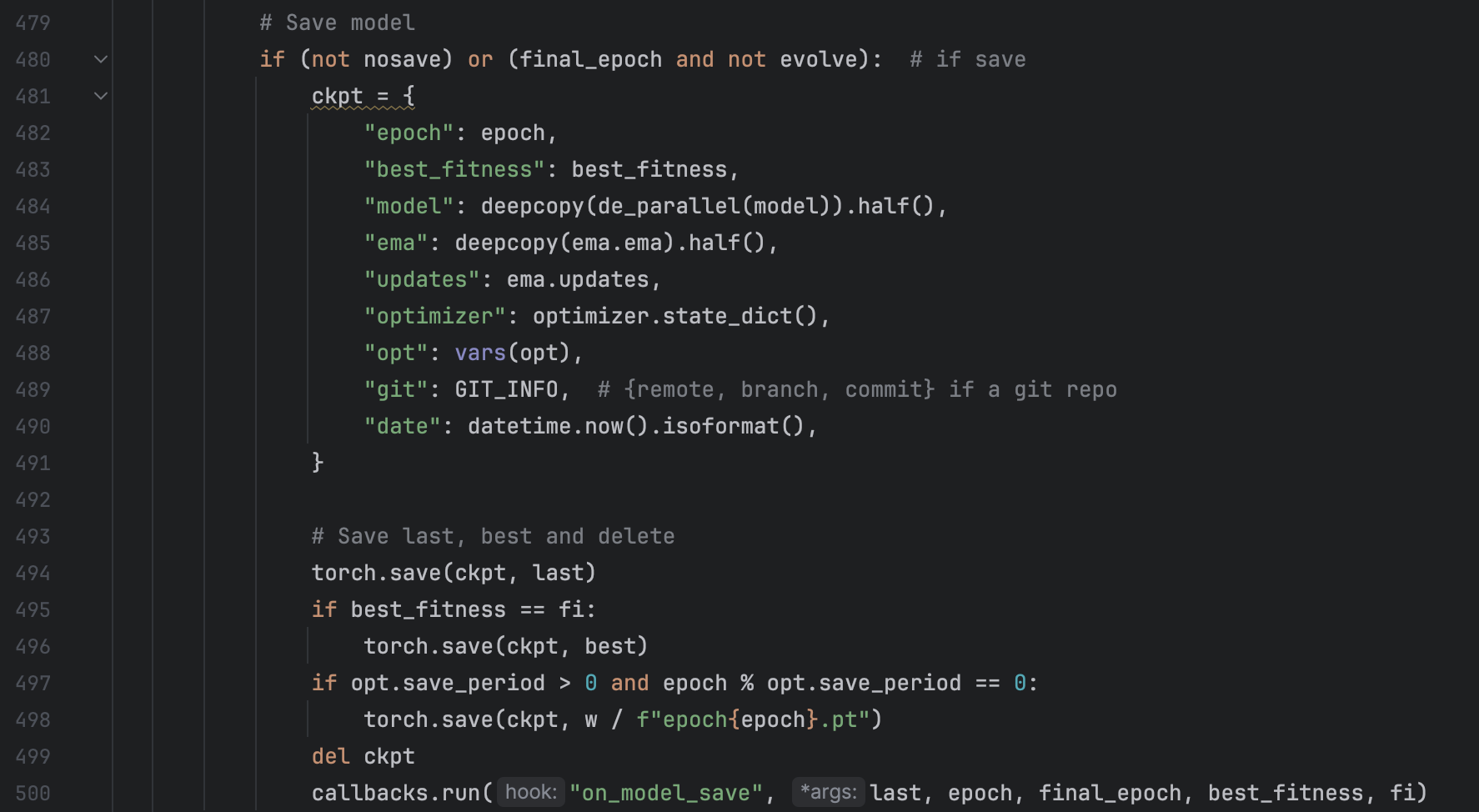 Upon the previous analysis, I tried to find out the solution by mimic the code in train.py in my pruning.py, thus I adjusted my code to:
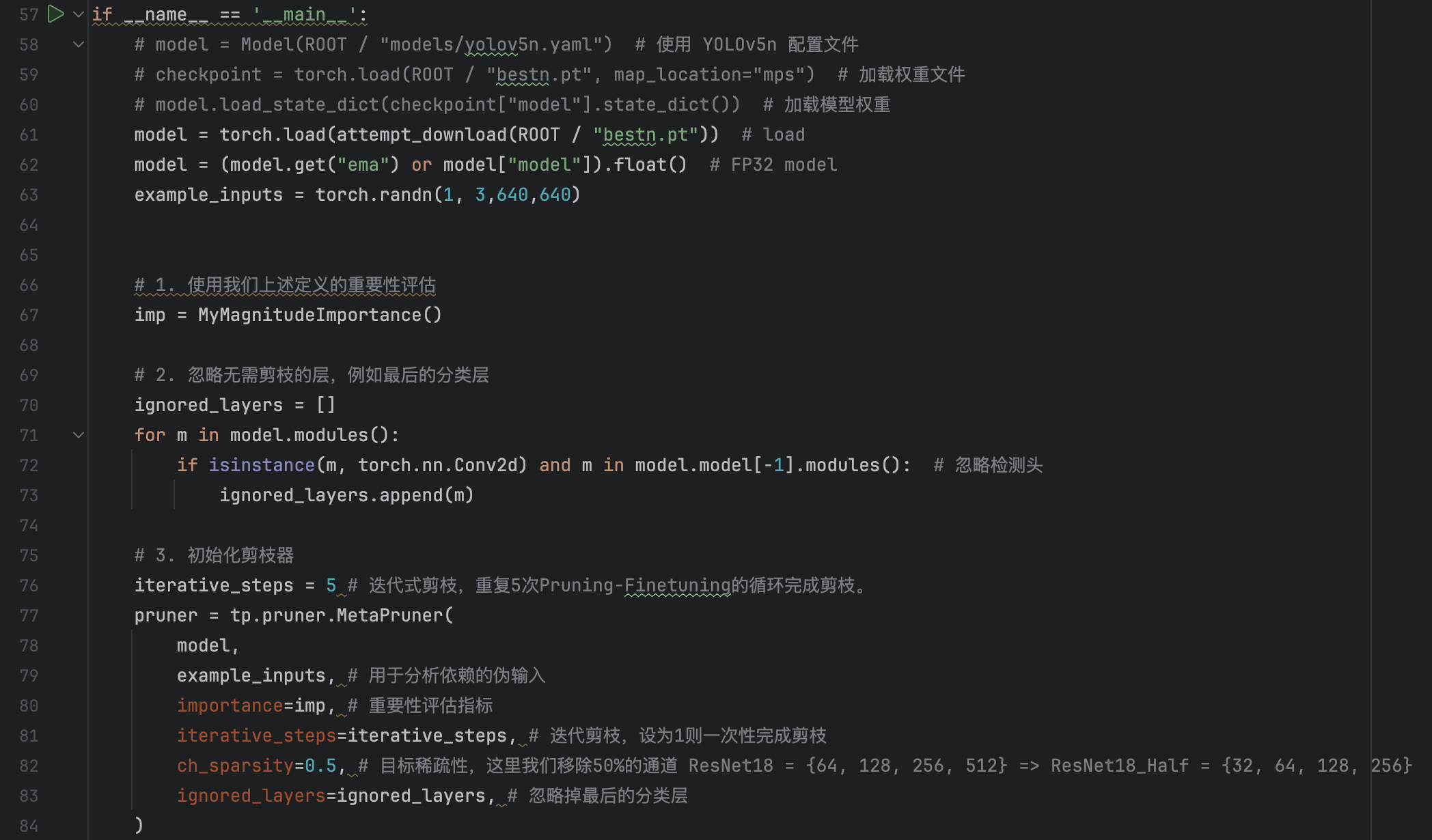
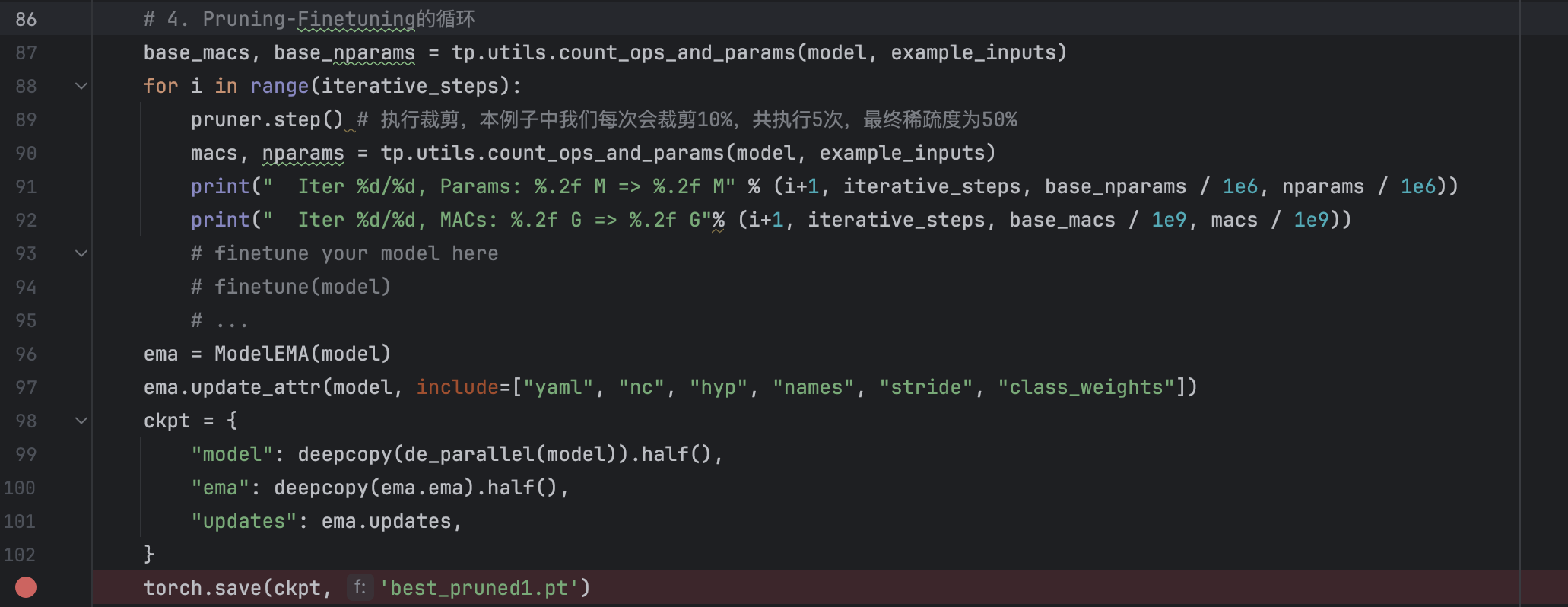 And by this way, we can save the "pruned" model and successfully run the saved model in detect.py.
And the result of the pruning.py are as follows:
And by this way, we can save the "pruned" model and successfully run the saved model in detect.py.
And the result of the pruning.py are as follows:
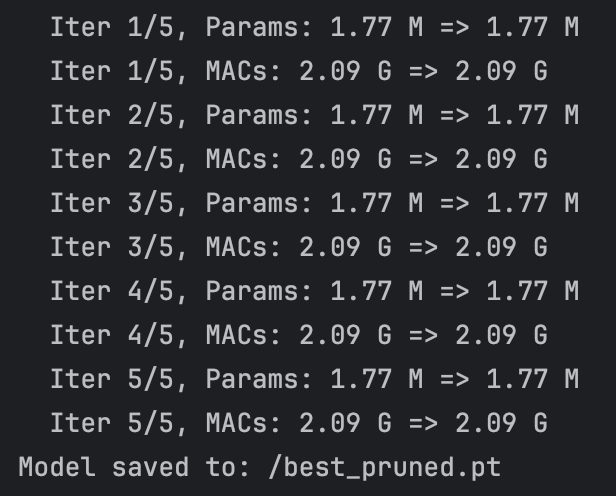 Unluckily, we find that the network are not pruned.
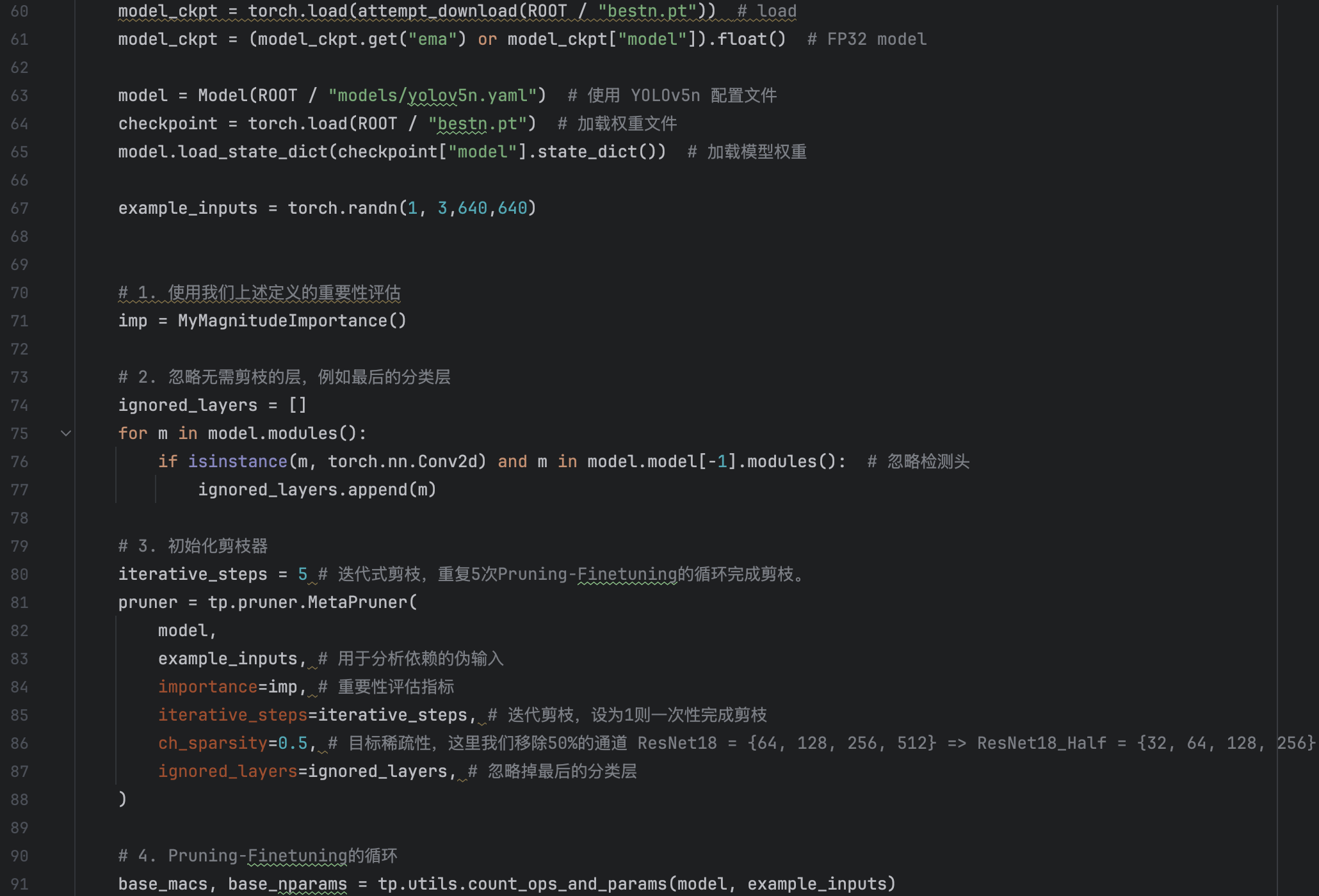
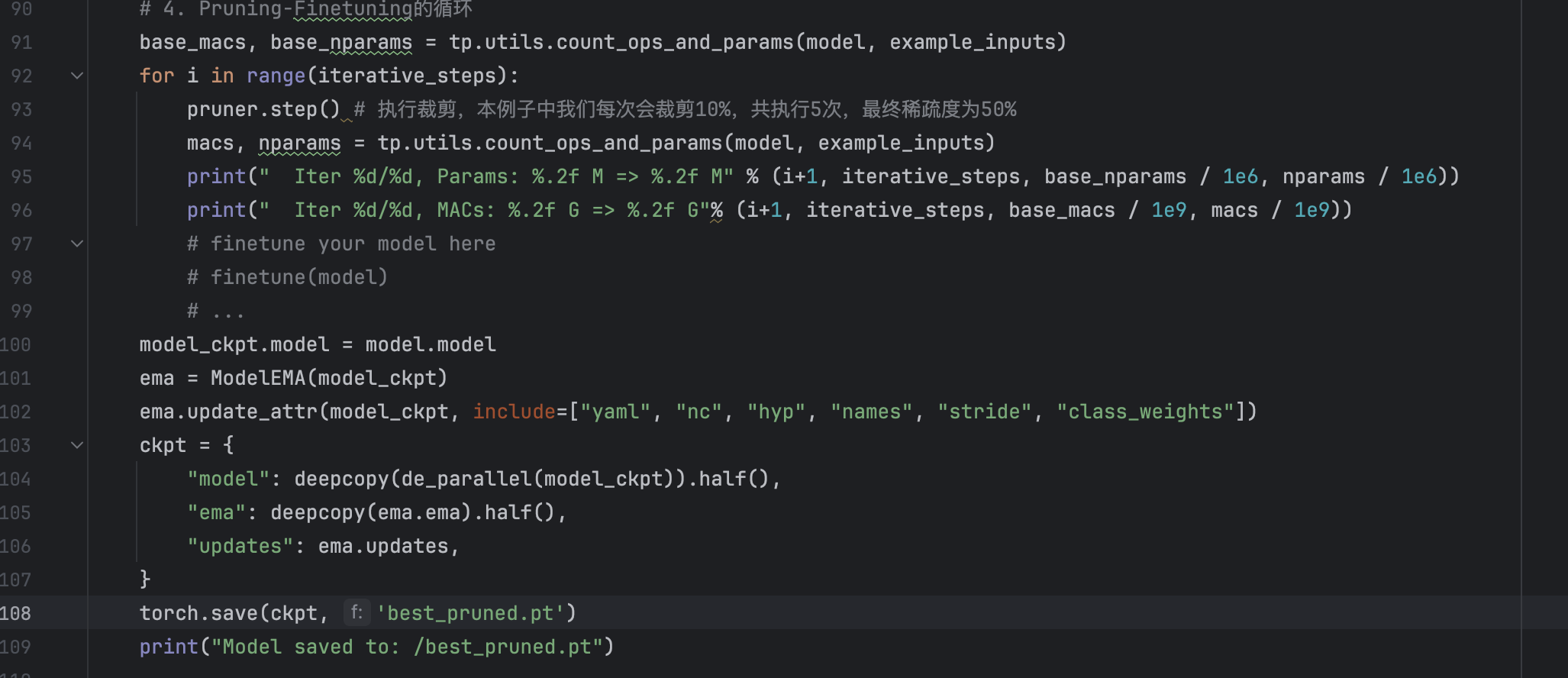
I changed my pruned code and can finally save the pruned model(ckpt) and load it in the detect.py. To clarify the solution to the problem, we can devide the problem into two parts: the first part is pruning and the another part is save the model by ckpt. From the previous experiment we can see that both of the two parts can be done successfully, but when we combined them together, we failed. So the solution here is defining two model: both of them load the we pre-trained yolov5n best.pt, then for one model, we restore its ckpt attribute and for the another, we prune the model. Then the final saved ckpt is the combination of the former model ckpt and the latter pruned model. Thus we can save the pruned model and load it successfully.
The code are as follows:
Unluckily, we find that the network are not pruned.
I changed my pruned code and can finally save the pruned model(ckpt) and load it in the detect.py. To clarify the solution to the problem, we can devide the problem into two parts: the first part is pruning and the another part is save the model by ckpt. From the previous experiment we can see that both of the two parts can be done successfully, but when we combined them together, we failed. So the solution here is defining two model: both of them load the we pre-trained yolov5n best.pt, then for one model, we restore its ckpt attribute and for the another, we prune the model. Then the final saved ckpt is the combination of the former model ckpt and the latter pruned model. Thus we can save the pruned model and load it successfully.
The code are as follows:
 Then we can run the detect.py to test the performance of the pruned model, we find that the output is so bad that it can not detect any pedestrian! The reason for this, I think is that we pruned so many parts of the previous(50%) thus many weight that contain important information are pruned. But we have to pruned the model by 50%, for by this way, if the channel numebr of Conv layer is the integer power of 2, it can accerluate the calculation of the network. So there we ust 50%.
And then we re-train the pruned to reach higher performance, but when we trained it we find that the parameter number in the running output are still the yolov5n parameter number:
Then we can run the detect.py to test the performance of the pruned model, we find that the output is so bad that it can not detect any pedestrian! The reason for this, I think is that we pruned so many parts of the previous(50%) thus many weight that contain important information are pruned. But we have to pruned the model by 50%, for by this way, if the channel numebr of Conv layer is the integer power of 2, it can accerluate the calculation of the network. So there we ust 50%.
And then we re-train the pruned to reach higher performance, but when we trained it we find that the parameter number in the running output are still the yolov5n parameter number:
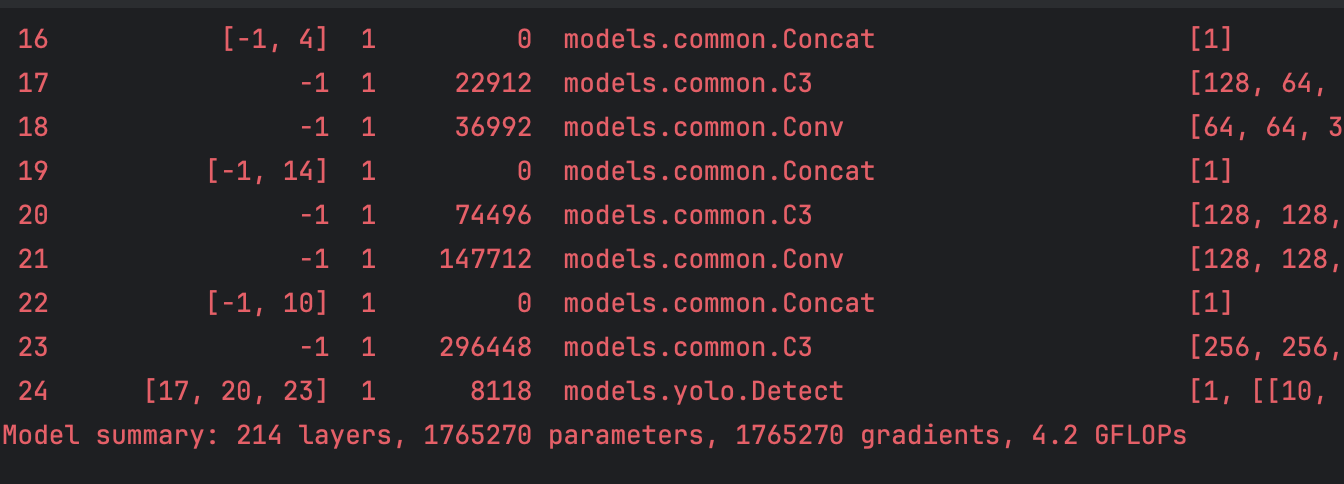 We check the train.py and find that
 is the cause of the problem: we find after the executation of the the upper line, the model were still the pruned model, but after the executation of the lower line, the model bacame the original yolov5n model. So the problem must occur in the lower line. The problem must be caused by the cfg. So we need to modfiy the cfg parameters in train.py.
  cfg is the path to model YAML configuration. So we need to modify the yaml file:
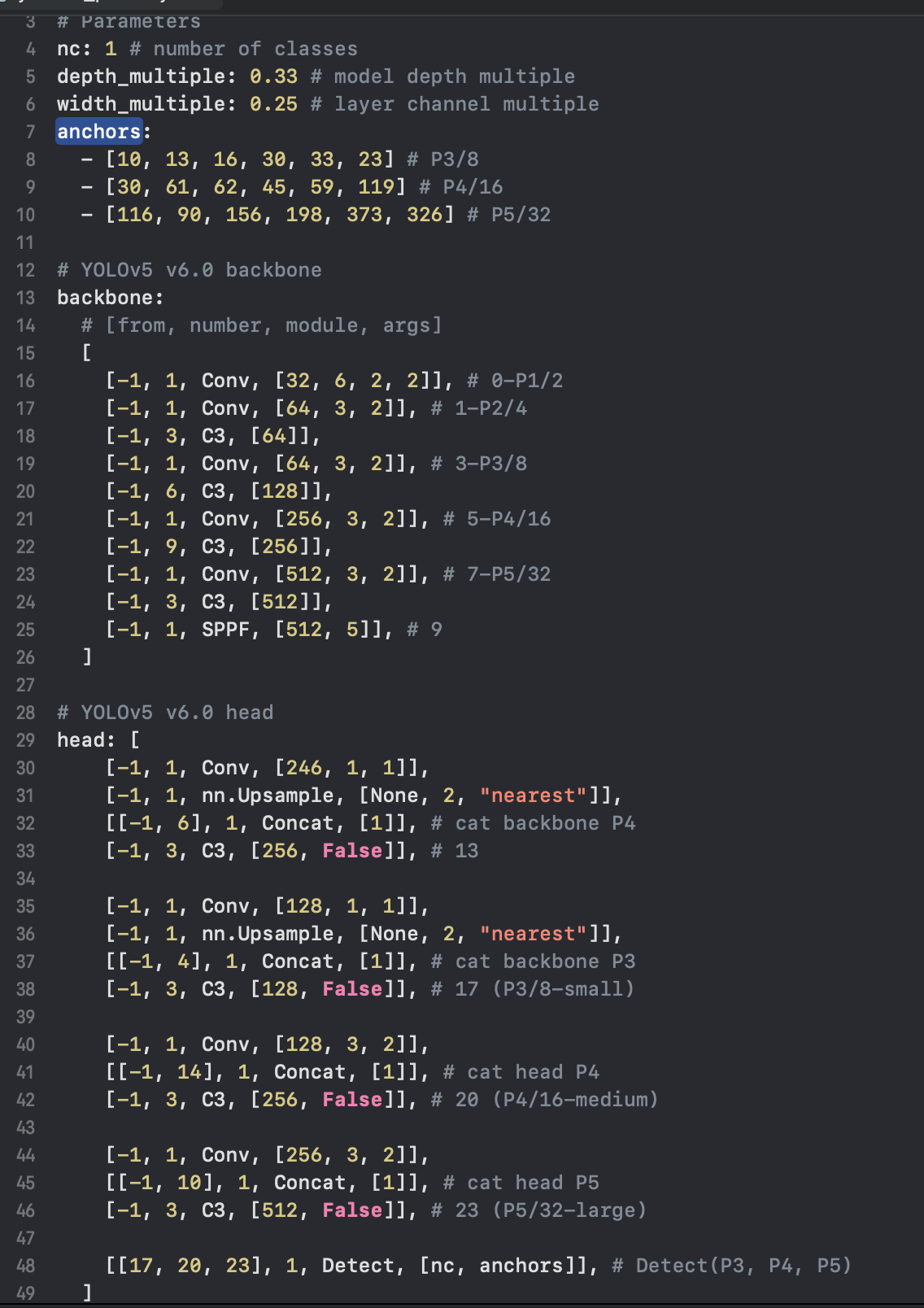 There are one question that confused me a lot: The first Conv layer after the pruning are 8(from 16 to 8), but I have not find 16 in the original yolov5n.yaml. This question needs me to deeper think. So I changed all the integer power of 2 in the yolov5n.yaml to half of the original and then we run the train.py. And luckily, we can successfully trained the model.
We re-trained the pruned model, and we use the trained model to run the detect.py and val.py. The result are as follows:
Val:
Pruned model:
There are one question that confused me a lot: The first Conv layer after the pruning are 8(from 16 to 8), but I have not find 16 in the original yolov5n.yaml. This question needs me to deeper think. So I changed all the integer power of 2 in the yolov5n.yaml to half of the original and then we run the train.py. And luckily, we can successfully trained the model.
We re-trained the pruned model, and we use the trained model to run the detect.py and val.py. The result are as follows:
Val:
Pruned model:
 PR:
PR:
 Original trained model:
 PR:
PR:
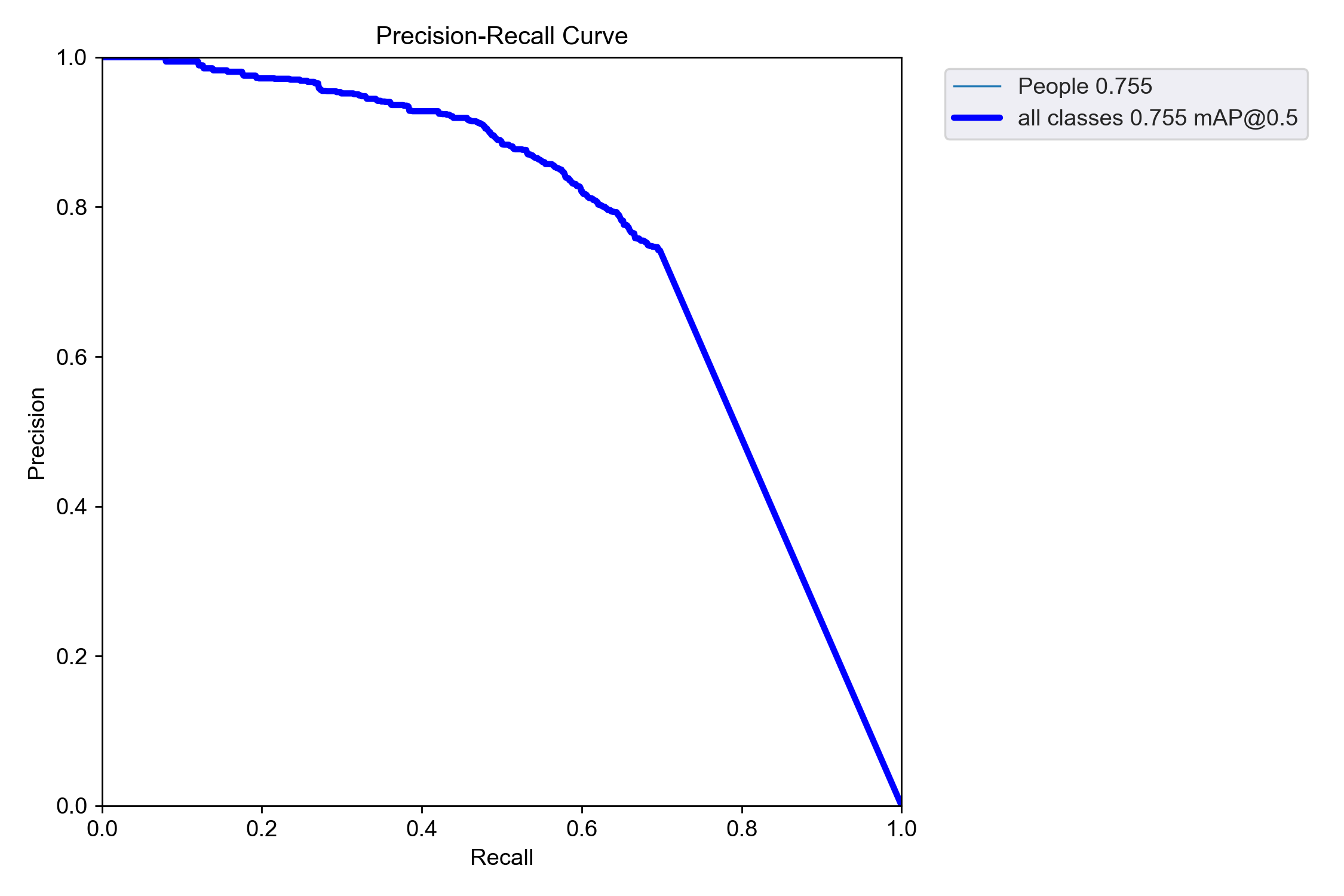
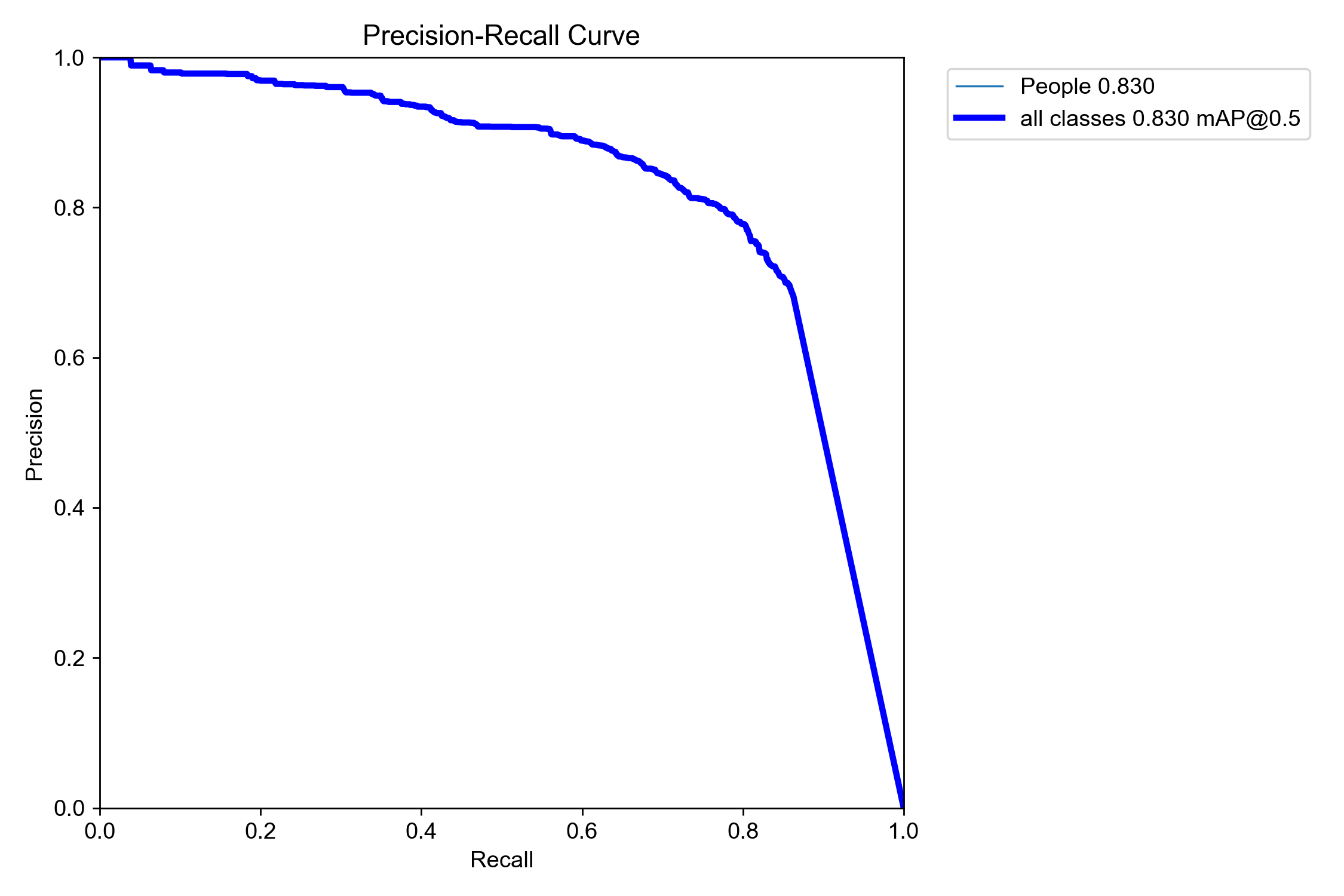 We can see that the speed of the model are accelerated. But the PR curve of the pruned model is less towards the top-right corner compared to the original curve(The more close to top-right corner, the better performance of the model)
Detect:
Pruned model:
We can see that the speed of the model are accelerated. But the PR curve of the pruned model is less towards the top-right corner compared to the original curve(The more close to top-right corner, the better performance of the model)
Detect:
Pruned model:
 Original trained model:
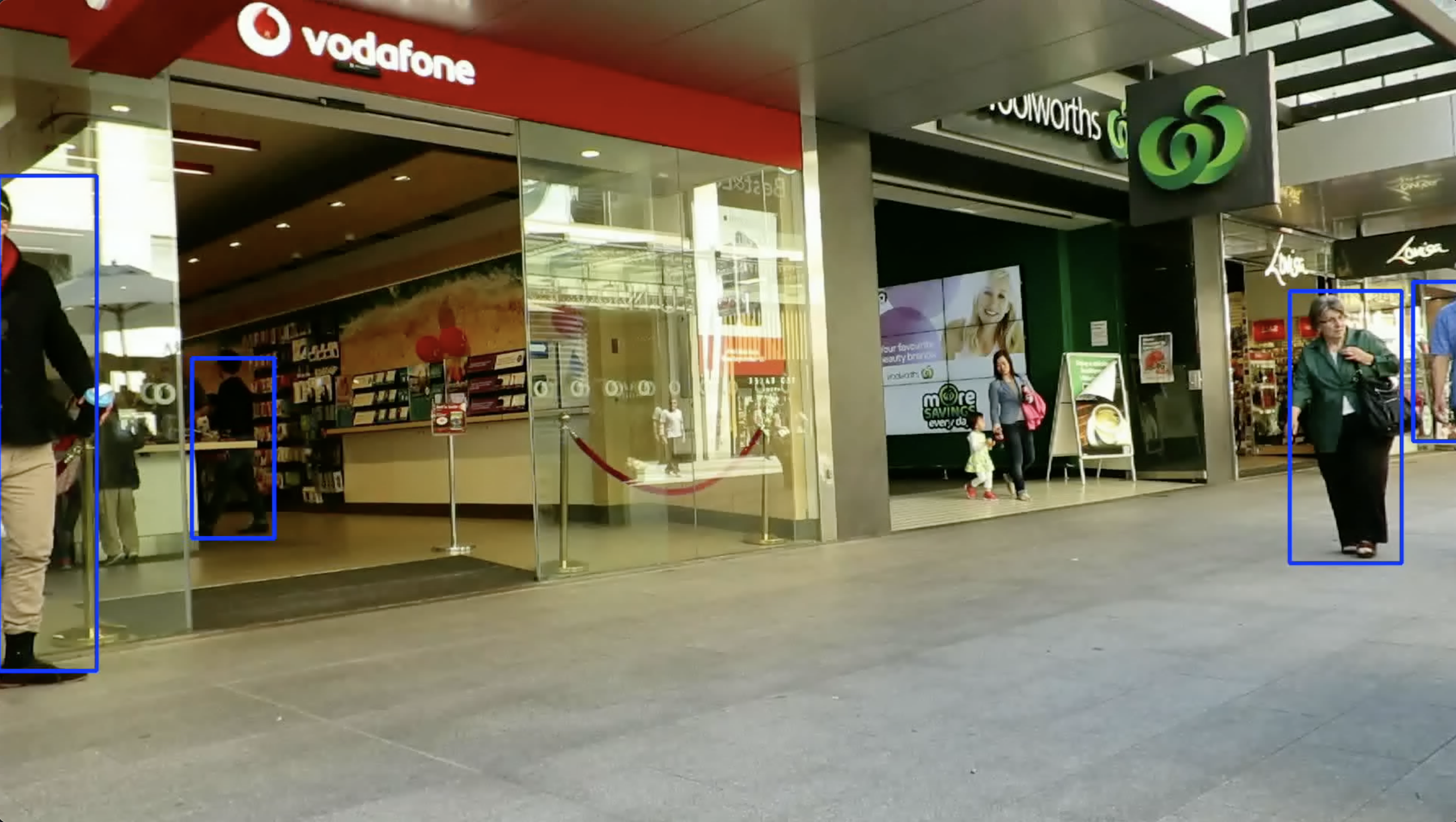
 We can clearly acknowledge that the detection speed are acclerated about one third(20.8ms to 13.4ms). But the detection performance of the model is not as good as before even after the re-training. We can see that there are some circumstance where the pedestrians are easy to detect by our eyes, but the pruned model not detect the pedestrians.
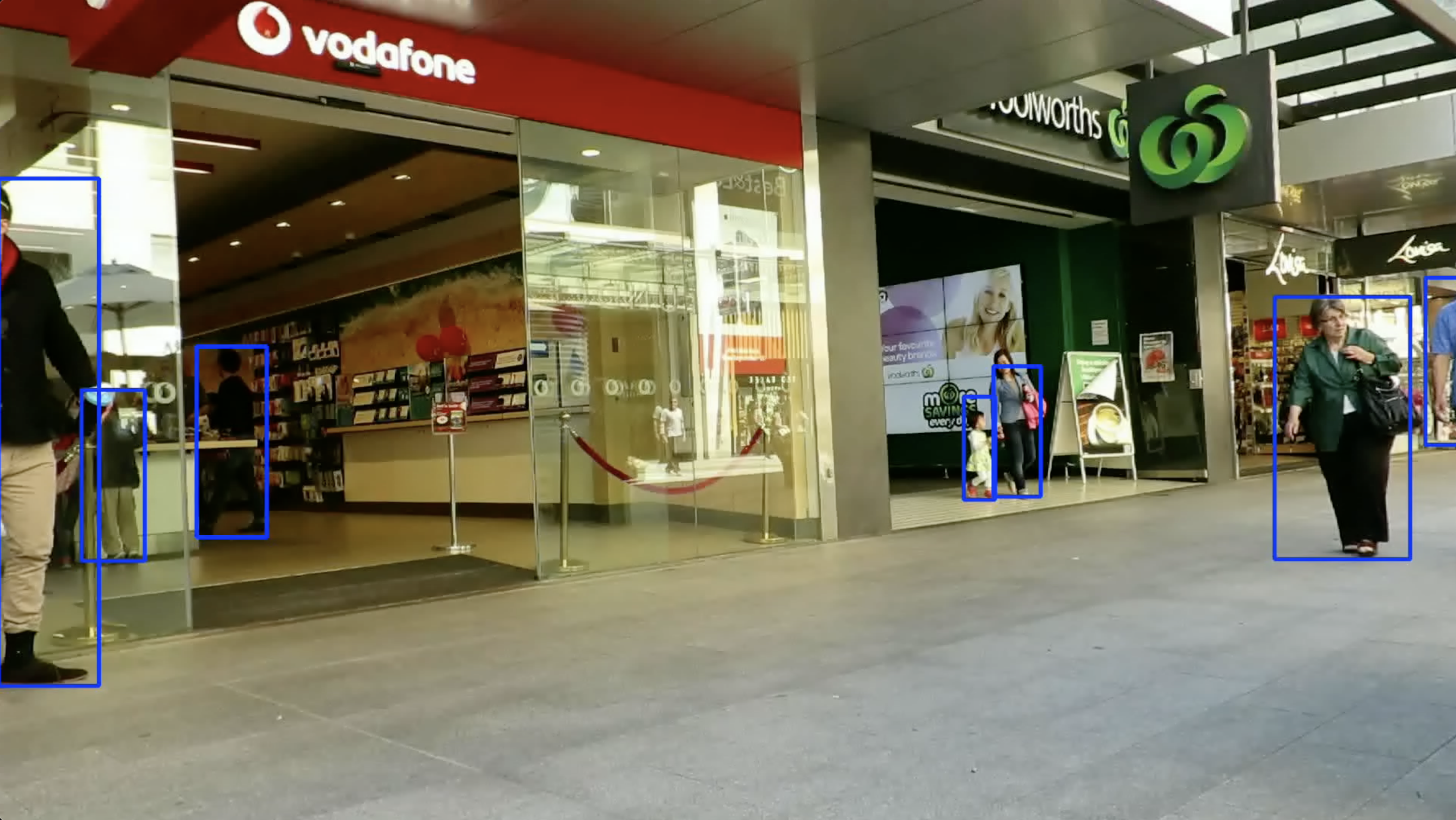
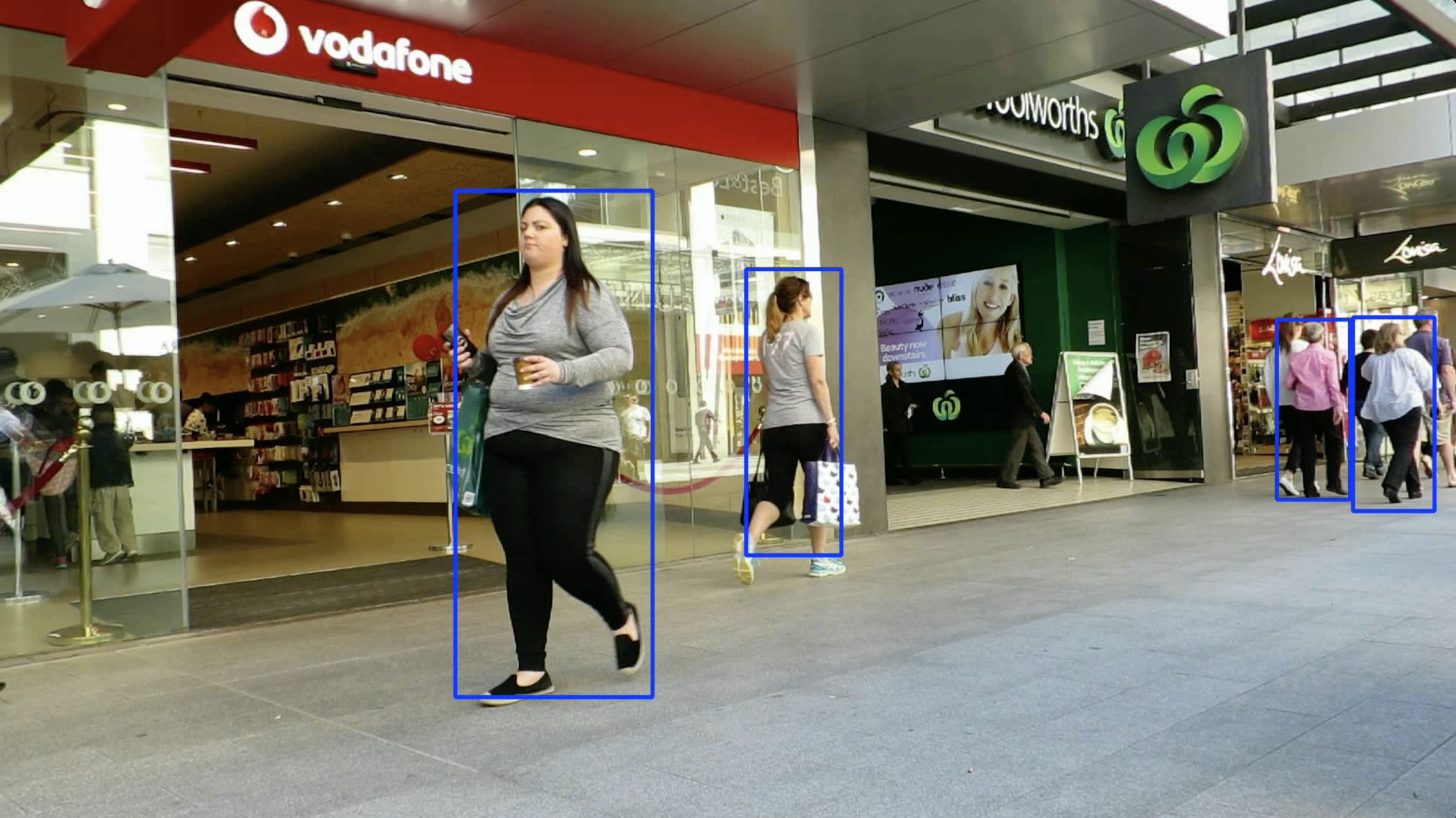
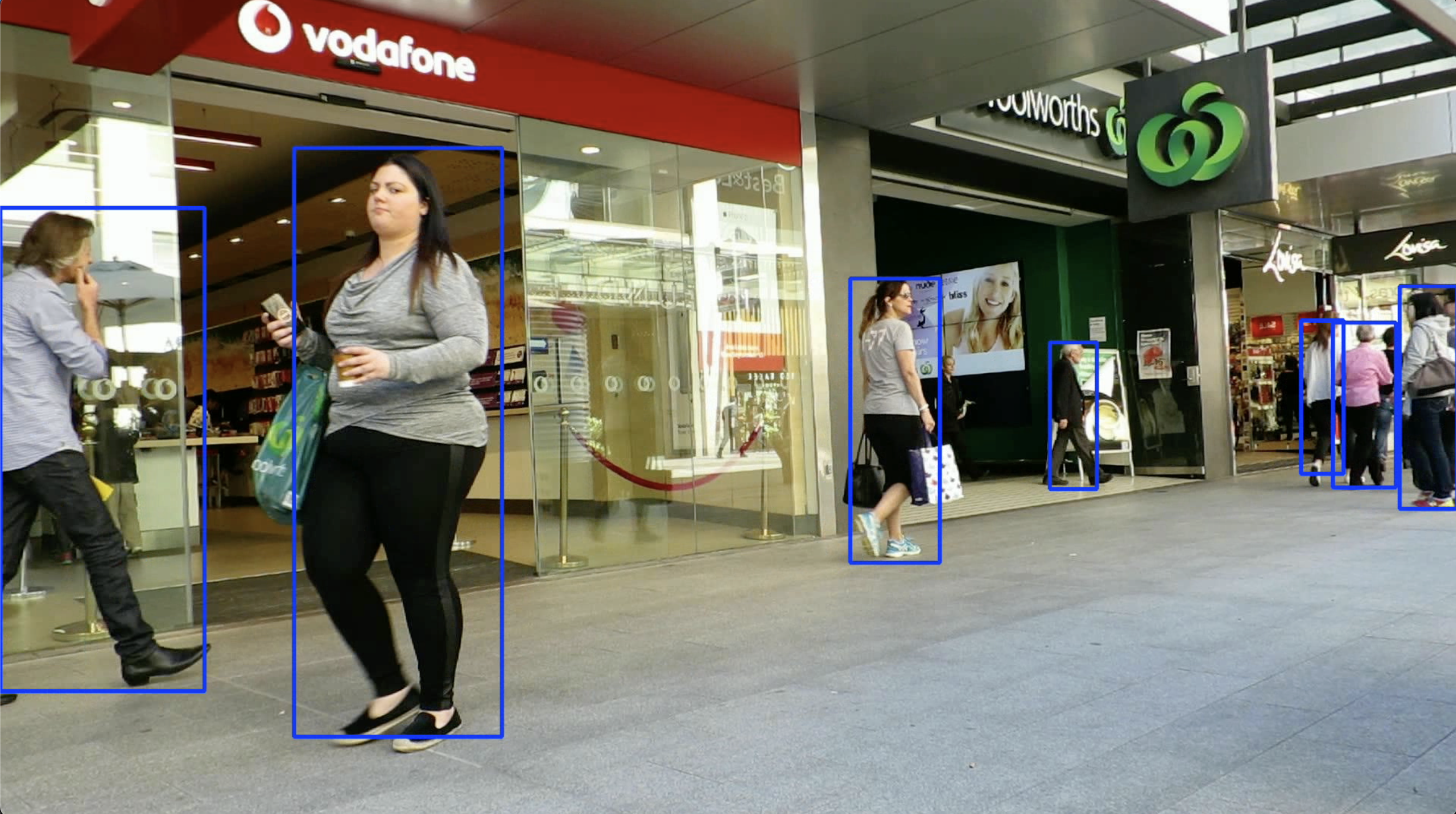 So we need to adjust the proportion of pruning.
And the another idea to light weight our network is that we use frame sampling for detection.(i.e.A frame sampling interval of 5 was used for detection.) By this way,we can reduce the computation of the network greatly. When we prune the two network we used in our work:
So we need to adjust the proportion of pruning.
And the another idea to light weight our network is that we use frame sampling for detection.(i.e.A frame sampling interval of 5 was used for detection.) By this way,we can reduce the computation of the network greatly. When we prune the two network we used in our work:
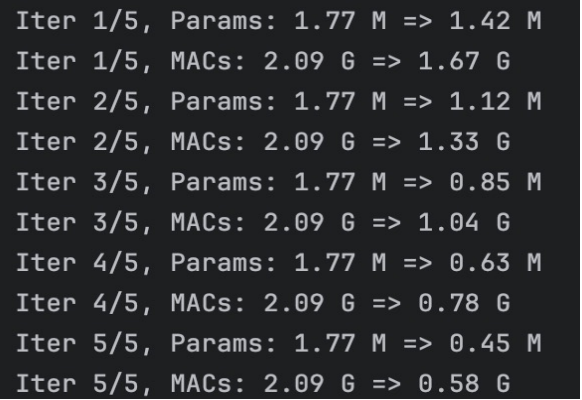
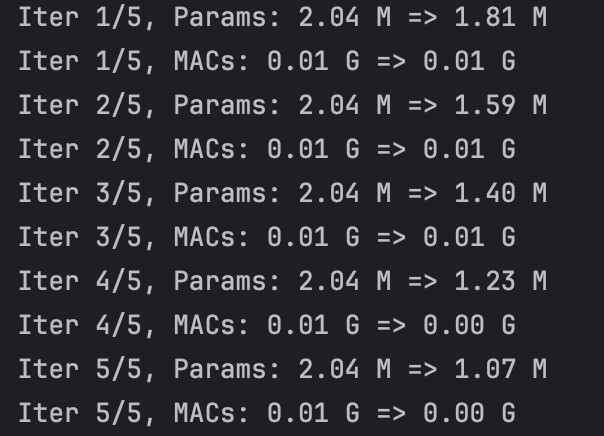 We find that the main MACs comes from the yolov5 network, so we can significantly reduce the running time by accerlate the yolov5 running time. So here, we use frame sampling to reduce it. We set the interval between each input to the yolov5 network to 5. For example, for a 525 frames video, the detect.py running result are as follows:
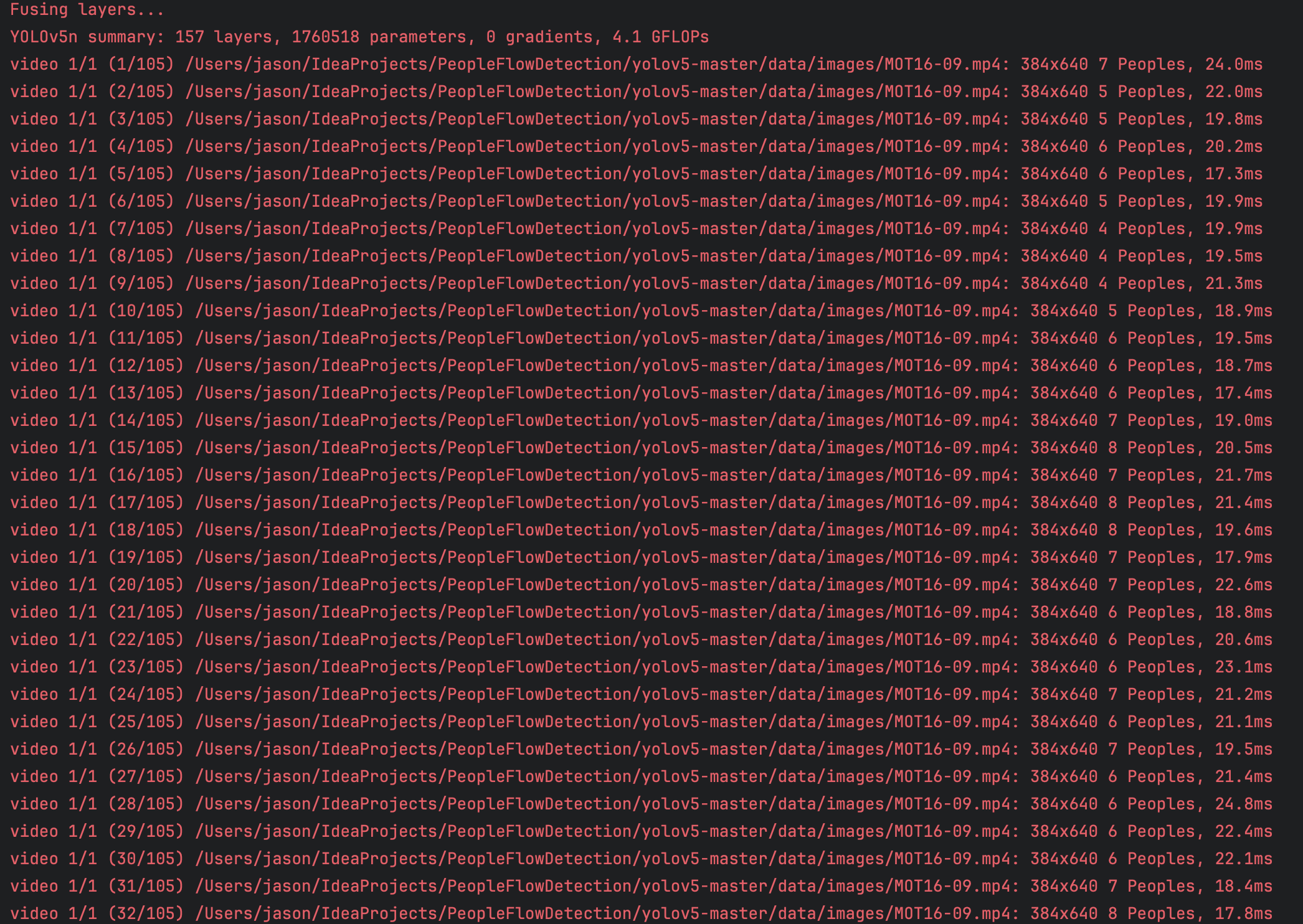 And by this way, we can get the labels in each frame of the set interval of the input video. And after that, I processed the obtained labels and segment the pedestrians in each detected frame. And saved the processed result.
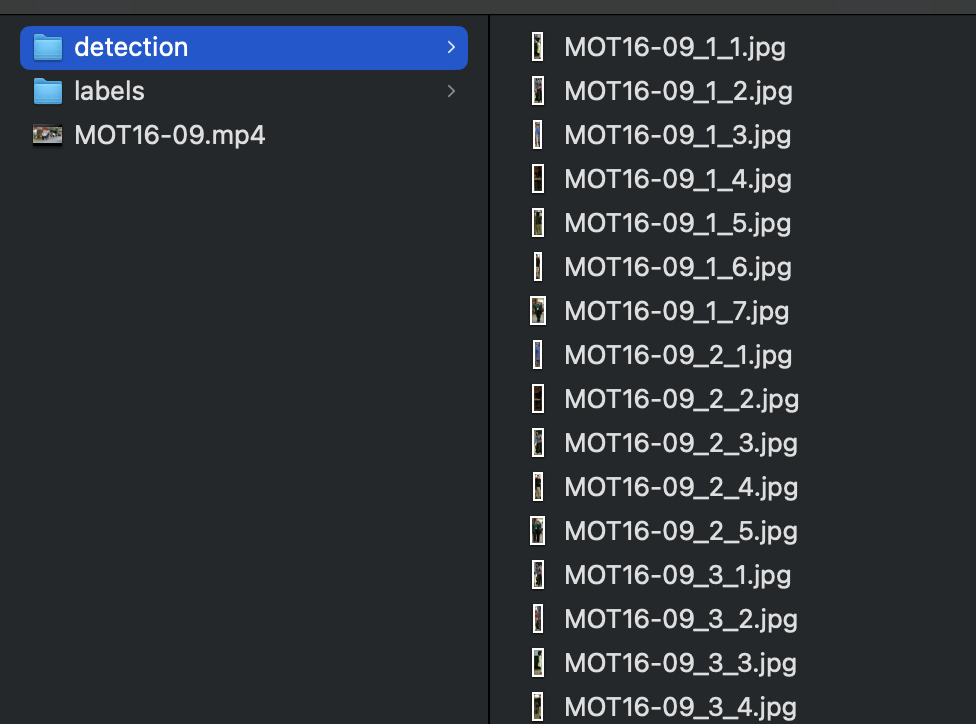 Then we can use these detected pedestrians to feed into our MobileNetv3 and the result.